
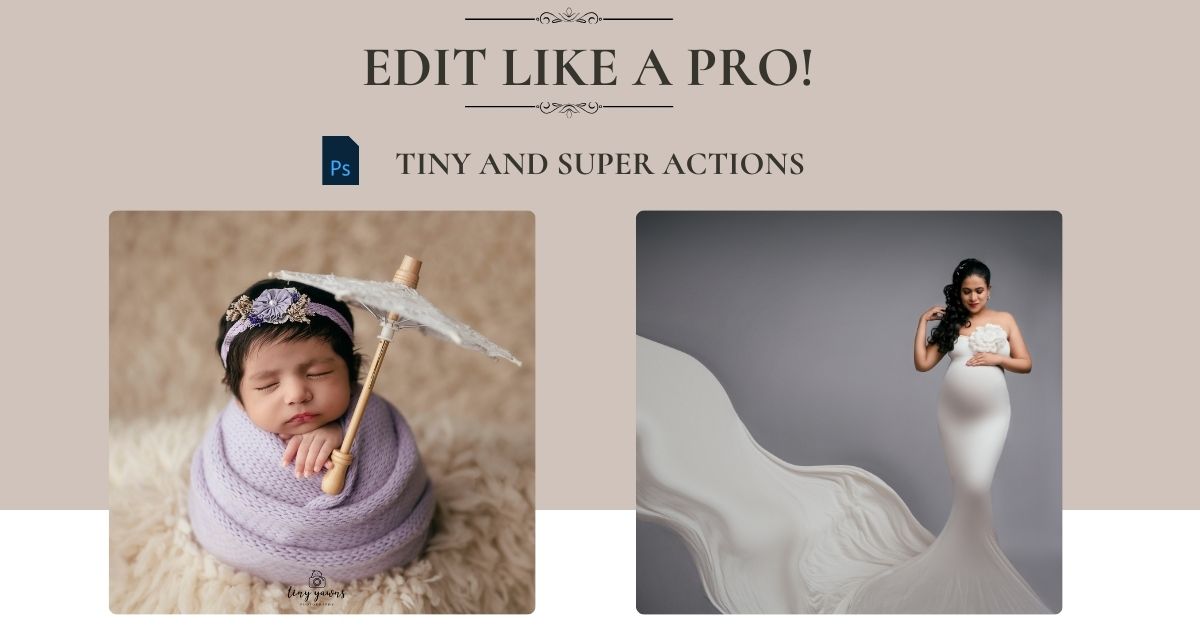
You've tried opening, Lightroom or Photoshop but somehow could not edit an image in the way you wanted it to be !!!
You've tried free online tutorials, Youtube videos and Instagram reels tips!
Still, you aren't confident of editing a beautiful image yourself!
You end up outsourcing your photos to an external editor and end up paying a significant % of your earnings!
If This Sounds Like You, Keep Reading…
❌ You spend hours editing and still feel your photos look “off”
❌ Skin tones look patchy or overdone
❌ You struggle to achieve that soft, creamy, professional finish
❌ Your edits look inconsistent across your gallery
❌ You wish your photos had that Tiny Yawns glow ✨
Then this course was made for you....
This course will teach you how to edit like a professional by using our 'Tiny and Super' actions created by Ashwini Neetan - that can elevate the quality of your editing. You will learn essential editing techniques to make your content stand out and impress your clients.
💎 Who This Course Is For?
🎯 Beginner photographers who’ve never used Photoshop before
🎯 Maternity & Newborn photographers who want to level up their editing style
🎯 Anyone who wants consistent, premium-looking photos.
💎 What You’ll Learn:
✨ Tiny & Super Actions: How to install and use these actions. Create your own signature style by using our 'Finishing Actions'
✨ Perfect Baby Skin: Removing flakes, redness, and marks - without losing texture
✨ Flattering Maternity Edits: Enhancing glow, smoothing skin, and balancing warm tones
✨ Color Correction: Perfect the skintone by correcting the colors!
✨ Workflow Simplified: How to cut your editing time in half and still get stunning results
✨ Real Case Studies: Watch actual me edit real client images and see how the actions help to eliminate commonly faced issues!
This course is designed to take you from “I don’t even know where to start” to confidently editing like a professional in just a few lessons.
💎 What You’ll Get (and What You Don’t Have Now)!
✅ Lifetime Access — Learn at your own pace, revisit anytime, and get free updates as I refine my editing actions and techniques.
✅ Exclusive “Tiny & Super” Photoshop Actions - My signature actions designed to perfect baby skin, even tones, and dreamy warmth in minutes.
✅ Useful Video Tutorials - Watch me edit, with clear explanations and no unnecessary fluff.
✅ Bonus: Time-Saving Shortcuts & Tools - Keyboard shortcuts I use daily to speed up my process.
✅ Confidence to Charge More - With professional-looking, consistent edits, you’ll attract higher-paying clients and elevate your portfolio.
Course Curriculum
Loading...
💎 Why This Course is Different?
This isn’t a quick “Action drop”!
It’s a complete education - built for real newborn and maternity photographers who want to master editing from scratch, not just copy a look.
You’ll understand every click, every layer, and every tone - so your style becomes uniquely yours.
What does each action in 'Tiny and Super' Actions do??
TYE Maternity Actions
SKIN ACTIONS
Softens overall skin texture while keeping natural pores and details visible.
Applies a stronger smoothing effect for heavily textured or problematic skin.
Lightens and blends dark or uneven neck areas to help match face tone.
Removes pigmentation and blemishes in the underarms area.
Lightly removes or softens small moles without damaging nearby skin texture.
Adds back subtle realistic texture after smoothing so skin doesn’t look plastic.
Adds soft glow and highlights to high points like cheekbones and forehead.
Merges visible layers into one for a clean working file.
BEAUTIFY ACTIONS
Enhances facial definition by gently shaping cheeks and jawline.
Instant sculpting with one action for fast contouring and slimming.
Reduces shine and hotspots created by excess oil or light reflection.
Brightens teeth naturally without making them look neon white.
Adds soft, customizable eye shadow color to eyelids.
Lets you add or change lip color while keeping natural lip lines.
Adds subtle pink tint to lips for a fresher look.
Adds coral tone to lips for a warm lively appearance.
Adds soft natural blush to cheeks to make face look fresh.
Combines all visible edits into one layer.
BACKDROP ACTIONS
Softens wrinkles or texture on backdrop for cleaner studio look.
Removes spots, distractions and uneven patches on background.
Reduces grain and noise in background areas.
Adds gentle blur to background to enhance subject focus.
Merges all backdrop edits.
GAME CHANGING ACTIONS
Smooths fabric wrinkles and gives outfits a polished look.
Changes chosen dress or element color in a controlled way.
Fixes areas that are too bright or blown out.
Adds or enhances blonde tone in hair.
Softens grey hair visibility without fully removing it.
ESSENTIAL ACTIONS
Creates a fresh layer for non-destructive editing.
Adds depth and dimension to image.
Sharpens important features such as eyes, lashes and hair.
Adds subtle dark edges to draw focus to the subject.
Adds light halo style vignette for dreamy look.
Applies vignette with color tint for mood.
Resizes image perfectly for social media posting.
Saves work and closes current file.
Merges all layers to finalize file.
FINISHING ACTIONS
Converts image to rich contrast black and white.
Adds warm color mood for cozy emotional feel.
Applies earthy brown tone for cinematic finish.
Creates dramatic teal shadows and warm skin tone effect.
Bright airy high-key white tone styling.
Gently brightens whole image while keeping details.
Adds depth and contrast for a dramatic artistic feel.
Final merge before export.
TYE Newborn Actions
SKIN ACTIONS
Softens newborn skin gently while keeping natural baby texture.
Reduces dryness and flakiness common in newborn peeling skin.
Lightens uneven or dark skin patches softly.
Removes shiny spots from forehead or cheeks.
Adds subtle glow to newborn cheeks or forehead.
Reduces jaundice-like yellow tint on newborn skin.
Softens red patches, rashes or blotchy areas.
Lightens purple hands, feet, nails or under-eye tints.
Removes tiny marks while keeping baby skin natural.
Adds soft newborn pink tone to lips.
Adds gentle coral tone for healthy look.
Adds baby-like rosy cheeks.
Softly defines eyelashes without looking artificial.
Restores natural texture after smoothing.
Merges visible layers.
ESSENTIAL ACTIONS
Adds gentle depth to give a 3D feel.
Sharpens eyelashes, lips, wraps and hair.
Adds color tinted vignette for artistic mood.
Adds soft shadow at edges for focus.
Adds light glow vignette.
Creates new editable layer.
Boosts highlights without blowing them out.
Resizes perfectly for Instagram or other platforms.
Saves file and closes image.
Final layer merge.
BACKDROP ACTIONS
Cleans spots, wrinkles and patches in backdrop.
Softens backdrop texture.
Adds mild blur to separate baby from background.
Reduces noise or grain in backdrop.
Merges background edits.
PARENT ACTIONS
Quickly sculpts face or body lines of parents holding baby.
Manually sculpts with more control and softness.
Whitens parent teeth naturally.
Adds natural tone to parent lips.
Removes scars, folds, stretch marks or dark underarms.
Merges parent edits.
GAME CHANGING ACTIONS
Recovers blown-out highlights on blankets or skin.
Changes wrap, prop or backdrop color.
Lightens grey hair on parents.
FINISHING ACTIONS
Creates classic, high-contrast monochrome newborn portrait.
Adds cozy golden mood to baby portraits.
Gives earthy brown studio style finish.
Adds popular cinematic teal and orange look.
Creates bright airy editorial newborn look.
Softly brightens overall image.
Adds contrast and mood while keeping softness.
Final output merge.
What do you get?
Photoshop Introduction lesson course
Learn how to navigate photoshop and understand core concepts like tools, layers and masks in a super easy way!
Worth 4999 INR
60 USD
Learn to use 'Tiny & Super' Actions
Detailed tutorial on how to use our 'Tiny and Super' Actions. Shown with examples on real client images.
Worth 4999 INR
60 USD
✨ BONUS!! ✨
Create Logo Brush and Apply
Learn how to create a brush with your logo on it. And also see in real time how I put logo on my client galleries within a minute using this method!
Worth 1999 INR
25 USD
My Photoshop Shortcuts
I have found a way to customize photoshop shortcuts in a way that it helps me speed up my workflow! Get these and speeden your editing time too!
Worth 1999 INR
25 USD
Value of this entire course
Total Worth: 13,996 INR
170 USD
✨Get it now for less than 50% off! ✨
Make the most of this launch offer and grab this course now!
Launch offer of 4999 INR
13,996 4,999 INR
click here to buy in usd
Launch offer of 60 USD only!
170 60 USD